
A supply chain control tower is a system that gives one real-time view of demand, inventory, supply and transportation. It flags exceptions as they happen, traces each one to its root cause, ranks it by impact and points to the next action. Planners stop building reports to find problems and spend their time deciding what to do about them.
Most of the value comes after the alert. If the control tower only shows a red tile, a planner still has to work out the fix, retype it in another system and chase it through.
In Solvoyo, the control tower sits on the same data model as the planning engine, so a flagged risk can feed straight into a changed plan. Gratis, a drugstore chain with 800+ stores, runs transportation planning, execution and KPIs on one platform.
Why a Supply Chain Control Tower Is Important
A supply chain control tower is important because plans go stale faster than reports can catch it. It shortens the time to notice a problem, to decide on a fix and to get that fix into execution.
A plan goes stale as soon as demand or supply moves. A promotion sells faster than forecast, a supplier ships late, a truck is about to leave half full. In most companies those signals sit in different systems (ERP, WMS, TMS, point-of-sale feeds, supplier portals), and someone has to join them up in a spreadsheet before anyone can act. By then the stockout or the extra freight cost has often happened.
A control tower joins those signals on one set of numbers and keeps watching them.
Supply Chain Control Tower vs. Dashboard
A supply chain control tower dashboard shows KPIs; the control tower also watches them against targets and acts when one drifts. A dashboard reports what happened, usually on a schedule and one function at a time. A control tower watches metrics against targets continuously, raises an exception when one drifts, explains the cause and recommends the next step. Because it works across functions, the inventory planner and the transport planner see the same exception and its effect on each other’s plans.
Types of Supply Chain Control Towers
- Transportation and logistics: loads, routes, carriers and delivery performance.
- Inventory: stock positions across stores and DCs, with stockout and excess risk.
- Fulfillment: open orders and which node ships each one.
- Supply: supplier lead times, inbound purchase orders and shortages.
- Planning: demand, inventory, supply and transportation on one model, so an exception in one area shows its effect on the others.
Many companies start with one type and widen it later. Gratis started with transportation.
What Is a Supply Chain Planning Control Tower?
A supply chain planning control tower watches demand, inventory, supply and transportation on the same data model as the planning engine. When it flags a risk, the response is a changed plan: an accepted recommendation goes straight into the plan, so an exception in one area shows its effect on the others before anyone retypes anything.
Benefits and Advantages of a Supply Chain Control Tower
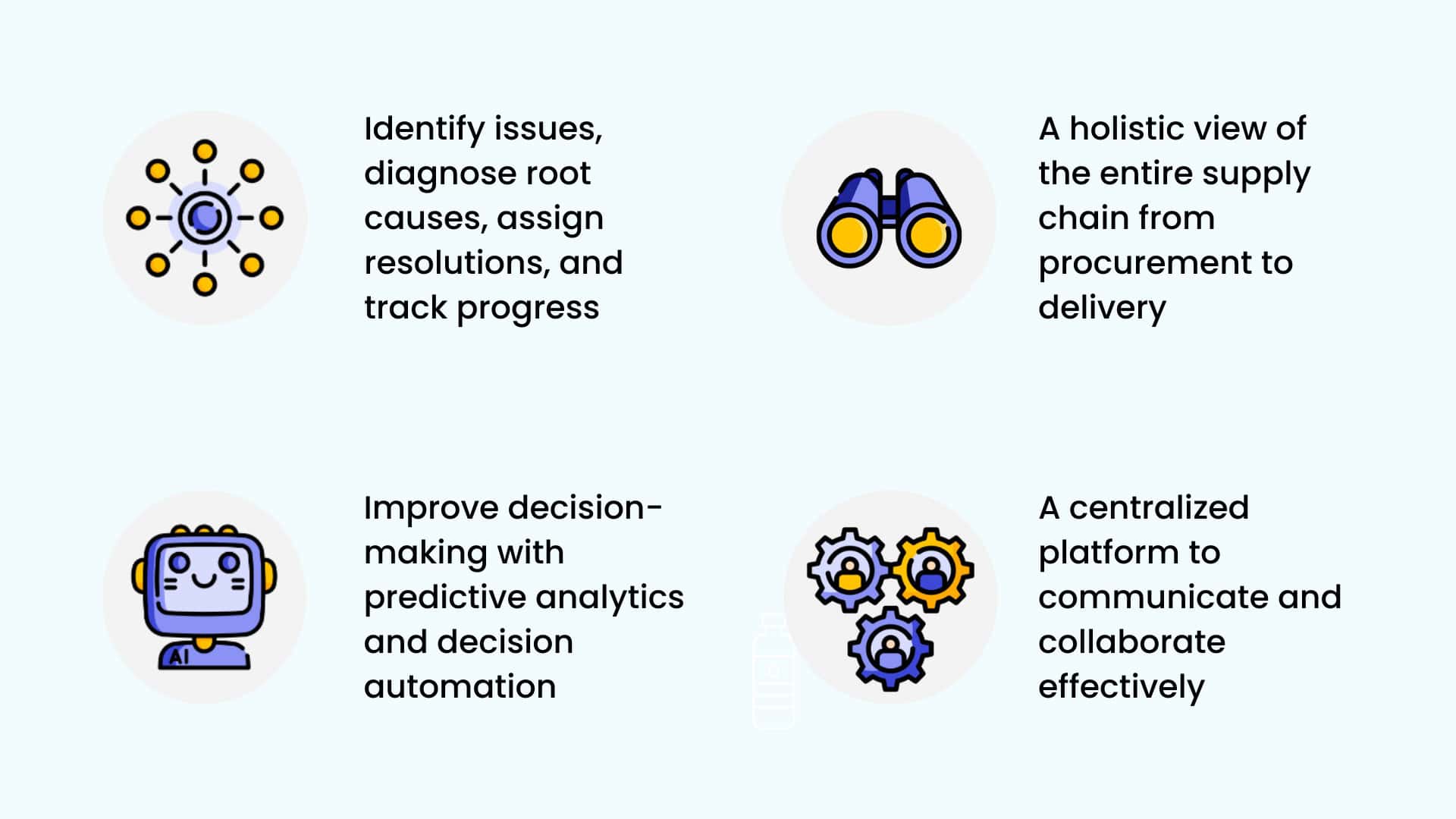
The main advantages of a supply chain control tower are one shared set of numbers, earlier warning, exceptions ranked by impact, faster root cause and fewer steps from alert to action.
- One set of numbers: demand, inventory, supply and execution data sit on one model, so every team reads the same numbers.
- Earlier warning: predictive alerts flag demand shifts, supply risks and service-level threats with enough lead time to intervene.
- Biggest issues first: exceptions are ranked by impact, so the biggest issues are fixed first.
- Faster root cause: instead of drilling through reports, planners see the driver behind each exception.
- Fewer steps from alert to action: when the control tower is connected to planning and execution, an accepted recommendation changes the plan directly.
Supply Chain Control Tower Metrics and KPIs
A long KPI list turns the control tower back into a report. Pick a few metrics per area, set a target and an alert threshold for each, and name an owner.
| Metric | What it tells you, and the exception to watch |
|---|---|
| OTIF (on time, in full) (service) | Share of orders delivered complete and on the agreed date. Exception: a customer order at risk of missing its date. |
| Fill rate (service) | Share of ordered units or lines filled from available stock. Exception: an item or location below its target fill rate. |
| In-stock rate (on-shelf availability) (service) | Share of store-item days with stock on hand; the stock-out rate is the inverse. Exception: stockout risk in the coming days. |
| Forecast accuracy and bias (forecast) | How far, and in which direction, the forecast misses. Exception: persistent over- or under-forecasting on an item or store. |
| Days of supply (stock cover) (inventory) | How long current stock lasts at forecast demand. Exception: cover above or below the target range. |
| Excess and ageing stock (inventory) | Value of stock beyond need or close to expiry. Exception: expiring inventory or a slow mover building up. |
| Supplier on-time, in-full delivery and lead time (supply) | How reliable inbound supply is. Exception: a late purchase order or a lead time drifting up. |
| Truck utilization (transport) | How full each load leaves. Exception: a load leaving below its fill threshold. |
| Transportation cost per case (transport) | Freight cost per case shipped. Exception: a lane running above plan. |
| Total cost to serve (cost) | Full cost of serving a customer at the promised service level. Exception: cost to serve drifting away from the network plan. |
Metrics for the Control Tower Itself
- Time to detect, decide and resolve: how long an exception lives at each stage.
- Share of decisions executed without edits: in Solvoyo this is the user acceptance rate, the share of planning decisions that go live with no planner changes.
- Alerts that led to an action: alerts nobody acts on are noise and should be retired.
What to Automate After the Alert
An alert creates work, and only some of that work needs a person. Sort exception types by how often they happen and what a wrong call costs:
- Frequent, low cost of error: routine store replenishment shortfalls, small transfers between stores, load consolidation, safety stock changes within set limits. Once the recommendations hold up, these can run automatically.
- Frequent, higher cost of error: expediting or cancelling a purchase order, a price action on excess stock, a larger safety stock change. The system recommends with the impact quantified, and a planner approves.
- Rare, high stakes: a supplier failure, a new DC, a network change. The control tower frames the scenario, and people decide.
| Exception | Typical action |
|---|---|
| Stockout risk at a store | Replenish, or transfer stock from a store or DC that has spare |
| Excess or expiring stock | Cancel or delay open purchase orders, move the stock, or plan a markdown or promotion (excess inventory guide) |
| Demand above or below forecast, including promotions | Check whether it is a one-off, then correct the forecast and adjust orders and production |
| Supplier running late | Allocate available stock by priority, expedite, or switch source |
| Truck about to leave underfilled | Consolidate loads or pull forward the next shipments |
| Shipment running late (ETA slip) | Re-promise or reallocate the affected orders, expedite or reroute |
| Carrier rejects a load | Re-tender to the next carrier or book spot capacity |
| Short or damaged delivery | Correct the stock position, re-plan replenishment and log a claim |
| Service-level breach at a DC | Rebalance stock across DCs and reprioritize orders |
What Makes Automating the Fix Safe
Automating a fix only works if the recommendation is right and people can see why it was made. Each recommendation should carry its trigger, root cause and quantified impact, and every edit should be logged with a reason, so the system shows where it was wrong. Solvoyo logs each edit with a reason code and measures the result as the user acceptance rate: over 95% of Solvoyo recommendations for operational decisions run untouched.
How Solvoyo’s Control Tower Works
Solvoyo’s control tower follows the same four steps for every exception, from a stockout risk at a store to a service-level breach at a DC.
- See: in-transit inventory, demand variability, service levels, forecast bias and KPI performance sit in one view across every product, store and distribution center.
- Diagnose: machine learning traces each exception to its root cause and ranks it by impact, so planners start with the highest-cost issues. Data Diagnostics checks the feeds behind every plan and flags gaps before they distort a decision.
- Recommend: Solvi, Solvoyo’s AI planning agent, turns each diagnosis into a prioritized, explainable action recommendation. Planners can also ask why a KPI moved, and Solvi traces it to the driver in plain language.
- Act: planners execute the recommendation in the platform. Because insights connect to the planning engine, a flagged risk can become a rebalanced plan automatically.

Example: Gratis’s Transportation Control Tower
Gratis, one of the largest single-country drugstore chains in Eastern and Southeastern Europe with 800+ stores, has gone live with Solvoyo’s Transportation Control Tower. Transportation planning, execution and operational KPIs now run on one platform, from the distribution center to the store shelf:
- Automated load planning and route optimization
- Real-time execution visibility across the network
- Operational KPIs that turn transportation data into daily decisions
- Solvi flagging exceptions and guiding planners to the next best decision
Since go-live, Gratis has seen improvements in truck utilization, transportation cost per case and OTIF, and its planners spend their time on exceptions instead of spreadsheets. See transportation and fulfillment planning for how the planning side works.
How to Build a Supply Chain Control Tower
- Set outcomes and a short metric list. Choose the service, cost and inventory targets that matter, and the product families, regions or flows to start with.
- Connect the data. Bring ERP, WMS, TMS, point-of-sale and supplier feeds onto one data model, and check their health continuously: completeness, consistency, timeliness and anomalies, because bad feeds produce bad alerts.
- Define exceptions and owners. For each metric, set the threshold that raises an exception, who owns it and how fast it must be resolved.
- Attach an action to every exception type. Decide which actions the system may run on its own, which need approval and which are only flagged.
- Start with one scope, then widen it. Transportation, store replenishment or one region is enough to prove value before adding the next building block.
- Review the tower itself. Track time to resolve and acceptance every week, retire alerts nobody acts on and move proven actions from approval to automatic.
With Solvoyo, teams go live in 12 weeks with measurable results in 3 to 4 months.
How to Choose Supply Chain Control Tower Software
When you compare supply chain control tower software providers, ask each one the same questions, Solvoyo included:
- Does the control tower run on the same data model as planning, or is it a separate dashboard fed by exports?
- Does it find the root cause and rank exceptions by impact, or only raise alerts?
- Does each recommendation explain its trigger, cause and expected impact?
- Can an accepted recommendation change the plan and reach execution without being retyped?
- Does the vendor publish how often its recommendations run unedited, and how it measures that?
- How does it check the health of the data behind each alert?
- Can each role set its own views, metrics and thresholds?
- How long does it take to go live, and who supports the team afterwards?
Solvoyo builds supply chain decision automation. Its control tower is part of its supply chain analytics: configurable KPI dashboards, automated diagnostics, predictive alerts and Solvi recommendations on the same data model as planning.

Frequently Asked Questions
A supply chain control tower is important because plans go stale faster than reports can catch it. It shortens the time to notice a problem, to decide on a fix and to get that fix into execution, across demand, inventory, supply and transportation.
Start with a short list: OTIF, fill rate, in-stock rate, forecast accuracy and bias, days of supply, excess stock, supplier on-time delivery, truck utilization and total cost to serve. Track the tower itself too: time to detect, decide and resolve, and the share of decisions executed without edits.
Set outcomes and a short metric list, connect ERP, WMS, TMS, sales and supplier data on one model, define exceptions and owners, attach an action to each exception type, start with one scope, then automate the actions that prove reliable.
Yes, when it is connected to the planning engine and its recommendations are accurate enough to run unedited. In Solvoyo, a flagged risk can become a rebalanced plan automatically, and over 95% of Solvoyo recommendations for operational decisions run untouched.